
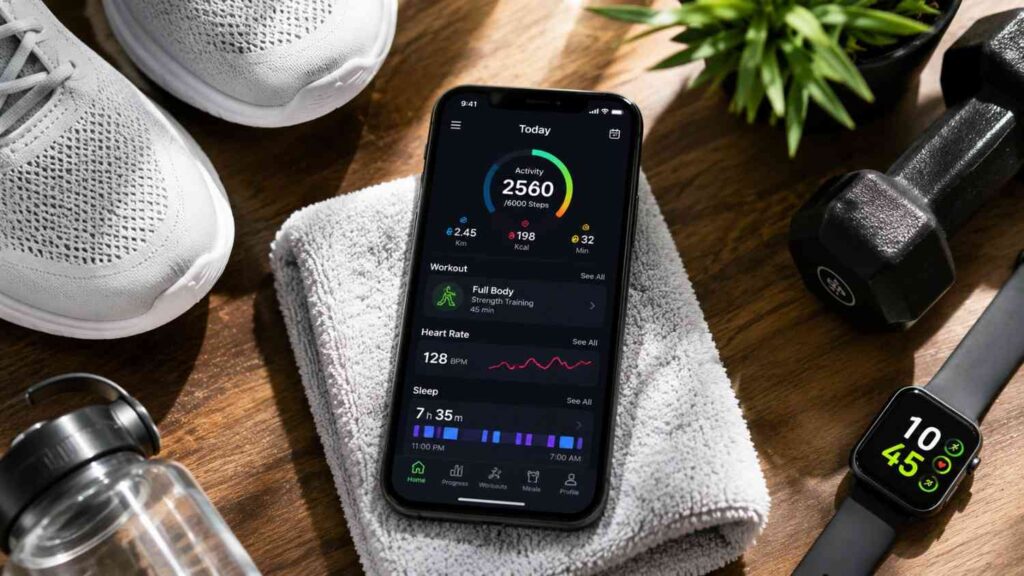
Top Apps for Tracking Fitness Goals: Best Choices for 2026
Fitness goals are easier to manage when you can clearly see what you are doing, how often you are doing it, and whether your performance is moving in the right direction. Without some form of tracking, it is easy to rely on memory or assumptions instead of measurable progress.
A good fitness tracking app can organize information such as workouts, distance, steps, running pace, strength sessions, food intake, calories, activity goals, and other useful measurements. The exact information you need depends on what you are trying to accomplish.
That is why the best fitness tracking apps are not interchangeable.
A runner may care about weekly mileage, pace, routes, and personal records. Someone training in the gym may need a detailed exercise log with weights, repetitions, sets, and previous workouts. A person focused on nutrition may gain more value from tracking meals, calories, and macronutrients than from seeing GPS routes.
The Top Apps for Tracking Fitness Goals currently cover several different needs. Apple Fitness and Samsung Health provide broader health and activity tracking. Strava and Garmin Connect offer stronger support for recorded sport and performance analysis. MyFitnessPal focuses on food and nutrition. Hevy provides dedicated strength-training tools, while Nike Training Club helps users follow structured exercise sessions.
In my experience, choosing an app becomes much easier when you start with the question, “What exactly do I want to improve?”
Once that goal is clear, you can evaluate apps according to useful metrics, device compatibility, ease of use, progress reporting, privacy settings, and whether important features require a subscription.
This guide compares these options from that practical perspective. Instead of naming one universal winner, it explains which fitness tracker is most useful for different goals and how to set up your chosen app so the data actually helps you make better decisions.
What Should You Look for in a Fitness Tracking App?
Choosing a fitness app should begin with your training needs rather than the number of features shown on an app-store page. Many modern health and fitness apps collect large amounts of information, but more data does not automatically lead to better fitness decisions. What matters is whether the platform measures the behaviors and results connected to your personal objective.
A beginner who wants to exercise three times per week might need little more than workout history, reminders, and a clear activity goal. A distance runner may require GPS tracking, pace, routes, mileage, and performance trends. Strength-focused users often benefit from detailed exercise logs, while someone managing nutrition needs food and calorie data.
Usability is equally important. If logging a workout takes several minutes every time you train, the process can become frustrating. A good fitness goal tracker app should reduce friction rather than create another task that feels difficult to maintain.
You should also consider whether the app works properly with your smartphone, smartwatch, fitness band, or other services you already use. Automatic syncing can reduce manual input and produce a more complete record of your activity.
Finally, check which features are available without payment. Some apps provide strong free functionality but reserve deeper analytics, coaching, or custom goals for paid subscriptions.
A useful selection process therefore considers your primary goal, the metrics you need, your existing devices, the amount of manual input required, and whether the app’s long-term cost makes sense for how you intend to use it.
Match the App to the Goal You Want to Measure
The first step is turning a broad ambition into something measurable. Goals such as “get fitter,” “exercise more,” or “be healthier” may be meaningful, but they are difficult for an app to track because they do not define exactly what progress looks like.
A clearer target could involve completing four workouts each week, increasing running mileage gradually, walking a certain amount each day, building consistency in strength training, or following a nutrition target. Once the goal is measurable, choosing the right platform becomes much easier.
Strava, for example, suits activity-based goals because its tools can track metrics related to distance, time, activity count, routes, and other sport-specific data. Hevy is more relevant for people who need detailed strength-training records such as exercises, sets, repetitions, and previous gym sessions. MyFitnessPal focuses more heavily on calories, foods, macros, and nutrition goals.
The key is to avoid tracking a metric simply because the app displays it.
If your main objective is consistent strength training, daily walking distance may be interesting but not central to your plan. Likewise, a runner may not need detailed food logging unless nutrition is also an important part of the goal.
Select a small number of metrics that help you make decisions, then use the app consistently enough to create a meaningful record over time.
Check Device and Wearable Compatibility
Device compatibility can determine whether a fitness app feels effortless or frustrating. Before committing to a platform, check whether it works properly with the phone, smartwatch, fitness band, or sports watch you already own.
Apple Fitness naturally fits users who are already inside Apple’s ecosystem. The iPhone can track everyday movement, while pairing the system with an Apple Watch provides additional workout and activity information such as heart rate, pace, distance, and other exercise metrics.
Garmin Connect is particularly useful for people who already train with Garmin devices. Recorded workouts and health data can sync into the app, allowing users to review activities, trends, goals, workouts, and supported device information without manually entering every session.
Compatibility also matters when you use more than one platform. Some fitness services can exchange selected data with external health platforms or partner apps, reducing duplicate logging.
Before downloading an app, check three things: whether your device is officially supported, which measurements actually sync, and whether syncing requires additional permissions or subscriptions.
This simple check can prevent choosing a tracker that looks excellent in theory but cannot collect the information you need automatically.
Related Articles
Which Are the Top Apps for Tracking Fitness Goals?
The Top Apps for Tracking Fitness Goals are best compared by purpose because each platform has been designed around a different type of user. A broad wellness tracker and a specialized gym log may both be excellent apps, yet they solve different problems.
Apple Fitness is most relevant for users already invested in Apple devices, especially when an Apple Watch is involved. Samsung Health serves a similar broad wellness role for many Samsung and Galaxy users. Google Health/Fitbit focuses on activity and health information within Google’s growing wearable ecosystem.
For endurance and outdoor activity, Strava and Garmin Connect provide more specialized tools. Strava combines activity tracking with routes, challenges, social features, and sport-specific progress. Garmin Connect becomes especially valuable for people using Garmin watches, cycling computers, and other supported hardware.
MyFitnessPal takes a different approach by focusing heavily on nutrition and food logging. Hevy is designed around resistance training, making it more useful for tracking sets, repetitions, and gym routines. Nike Training Club suits people who need guided exercise sessions and structured programming.
The comparison below shows why the best choice depends on the outcome you want.
| App | Best For | Useful Tracking Features |
|---|---|---|
| Apple Fitness | iPhone and Apple Watch users | Activity goals, steps, workouts, heart rate, pace, distance, training data |
| Google Health/Fitbit | Daily wellness and Fitbit/Pixel users | Activity, exercise goals, sleep information, connected health data |
| Strava | Running, cycling and social fitness | Distance, time, elevation, routes, challenges and activity progress |
| Garmin Connect | Garmin users and detailed training | Workout data, health trends, goals, courses and device metrics |
| MyFitnessPal | Nutrition and calorie goals | Food logging, calories, macros, exercise and nutrition targets |
| Hevy | Strength training | Gym routines, exercises, sets, workout history and progress |
| Nike Training Club | Guided workouts | Strength, conditioning, yoga, Pilates and structured training |
| Samsung Health | General wellness tracking | Activity, exercise, sleep, diet, stress and wearable information |
Rather than asking which app is “best” overall, compare the information each one provides against the information your goal actually requires.
| Fitness Goal | Recommended App Category | Key Tracking Metrics | Best For |
|---|---|---|---|
| Daily Activity | General Fitness Apps | Steps, active minutes, heart rate | Everyday users building healthy habits |
| Running & Cycling | Endurance Tracking Apps | Distance, pace, elevation, GPS routes | Runners and cyclists |
| Strength Training | Gym Workout Log Apps | Sets, reps, weight lifted, personal records | Weightlifters and gym members |
| Nutrition & Weight Management | Nutrition Tracking Apps | Calories, macros, meal logging | Users focused on diet and weight goals |
| Guided Exercise | Workout Program Apps | Workout completion, training plans, progress | Beginners and home workout users |
| Wearable-Based Tracking | Smartwatch Companion Apps | Sleep, recovery, activity rings, health metrics | Smartwatch and fitness tracker owners |
Apple Fitness, Google Health/Fitbit, and Samsung Health
Apple Fitness, Google Health/Fitbit, and Samsung Health are useful for people who want a broader view of everyday fitness and wellness instead of concentrating on one specialized training discipline.
Apple Fitness works closely with the iPhone and Apple Watch. Users can follow activity goals, view recorded workouts, and monitor information produced through supported Apple devices. Apple Watch adds more detailed exercise measurements and makes the experience especially useful for people who already wear the device throughout the day.
Google’s Fitbit ecosystem similarly combines activity information with other health and wellness data collected through compatible devices. Depending on the connected hardware and service level, users may review exercise, activity, sleep, and related trends from one environment.
Samsung Health provides another broad option, particularly for Galaxy users. It can organize activity, exercise, sleep, diet, stress, and information collected through compatible Samsung wearables.
The advantage of these platforms is convenience. Instead of manually logging every basic movement metric, supported phones and watches can collect much of the information automatically.
They are especially suitable for users interested in overall consistency, daily movement, general exercise, and wellness habits.
However, people with highly specialized goals may eventually need a dedicated app. Serious runners may prefer Strava or Garmin’s deeper sport tools, while strength athletes may find a dedicated gym log more useful than a general wellness dashboard.
Strava and Garmin Connect for Performance Goals
Strava and Garmin Connect are stronger choices when your goals depend on recorded performance rather than only general activity. Both platforms are commonly associated with running, cycling, and other endurance activities, but their strengths are slightly different.
Strava is built around activity tracking and community. Recorded workouts can include information such as distance, time, pace, routes, elevation, and other sport-specific details. Users can review their history, participate in challenges, compare personal performance, follow other athletes, and explore routes. Some custom goal and deeper analysis features may require a subscription.
Garmin Connect is particularly valuable when Garmin hardware is already part of your training setup. Garmin watches and other supported devices can record detailed exercise and health data before syncing that information into the Connect platform. Users can then review training history, activity statistics, workouts, courses, and device-generated measurements.
The decision often depends on your ecosystem.
If social motivation, route sharing, challenges, and a cross-device activity community matter most, Strava may be the better fit. If you already use a Garmin watch and want to explore the data recorded by that hardware, Garmin Connect becomes an important part of the experience.
Advanced users may even use both, recording activities with Garmin hardware and sharing selected workouts to Strava for additional community and progress features.
MyFitnessPal, Hevy, and Nike Training Club for Specific Goals
MyFitnessPal, Hevy, and Nike Training Club demonstrate why specialized apps can sometimes be more useful than broad activity trackers.
MyFitnessPal focuses strongly on nutrition. Users can log foods, monitor calories, review macronutrient information, and connect nutrition records with broader health or exercise goals. It can be particularly useful when eating habits form an important part of the user’s fitness plan.
Hevy is built around strength training. Instead of concentrating mainly on daily steps or GPS routes, it lets users build gym routines and record exercises, sets, repetitions, and other workout information. Reviewing previous sessions can help a lifter understand whether training volume, exercise consistency, or performance is changing over time.
If you are still comparing platforms before making a decision, this guide to the best workout apps provides another practical perspective on choosing an app based on your training style and fitness objectives.
Nike Training Club serves a different purpose. It offers structured training sessions and programs across areas such as strength, conditioning, mobility, yoga, and Pilates. This makes it more useful for someone asking, “What workout should I do?” rather than someone who only needs a place to record an existing program.
The best option depends on the missing piece in your routine.
If you need nutrition awareness, MyFitnessPal makes sense. If you already train with weights and want a detailed exercise history, Hevy is more suitable. If you want guidance and ready-made sessions, Nike Training Club may provide more practical value.
Using a specialized app can reduce distractions because the interface concentrates on the measurements and actions most relevant to that specific fitness goal.
How Do You Choose the Best App for Your Fitness Goal?
Choosing among the Top Apps for Tracking Fitness Goals becomes easier when you stop comparing every feature and focus instead on the decision your data needs to support.
A fitness app should help answer practical questions. Are you exercising often enough? Is your running volume increasing safely? Are you lifting more weight than several weeks ago? Are you following your planned nutrition target? Have you become more consistent?
If the app cannot help you answer the questions connected to your goal, its additional features may have limited value.
Begin by identifying your training style. Running, cycling, gym training, home workouts, walking, and nutrition management all require different types of information. Then decide which measurement best represents progress within that activity.
Next, consider how much effort tracking requires. Automatic wearable data is convenient for activities that can be recorded by a watch or phone. Strength training may require some manual input because the app needs information about exercises, sets, and repetitions. Nutrition tracking usually requires even more active logging because the software cannot automatically know everything you eat.
Finally, evaluate whether the app remains useful without a paid subscription. Some users are happy to pay for deeper analytics or structured programs, while others only need basic tracking.
I recommend testing one app for several weeks before building a complicated multi-app system. A consistent record in one suitable platform is usually more useful than incomplete data spread across several apps.
Choose by Training Style
Your training style should strongly influence the app you choose because different activities produce different types of useful data.
Runners and cyclists generally benefit from GPS-based workout tracking. Distance, pace, route information, duration, elevation, and training frequency are often more important than manual exercise logs. Strava is particularly relevant here because it organizes recorded sport activities and adds community, challenge, and route features.
Garmin Connect becomes attractive when your training already depends on Garmin hardware. A Garmin watch or cycling device can collect the activity, while Connect provides the environment where you review and organize the resulting information.
Strength training requires a different approach. A gym workout tracker such as Hevy can record individual exercises, sets, repetitions, and workout history. This makes it easier to look back at previous sessions before deciding what to do next.
For home workouts or people who need more guidance, Nike Training Club may be more appropriate because it provides sessions users can follow.
Broad health platforms such as Apple Fitness and Samsung Health are useful for mixed routines and general activity.
The key is matching the structure of the app to the structure of your training. An excellent running app can still be a poor strength-training tracker, and a detailed gym log may offer very little to someone primarily interested in walking or cycling.
Choose by the Metric That Drives Your Goal
Once you identify your training style, decide which metric will tell you whether you are making progress. This prevents you from becoming distracted by dozens of numbers that look interesting but do not affect your decisions.
For consistency goals, the most useful measurement may simply be completed workouts per week. Runners might track weekly distance, total training time, or pace across comparable sessions. Strength-focused users may monitor workout completion, training volume, or changes in load and repetitions. Nutrition goals may involve calories, protein, or another dietary target recommended as part of the user’s plan.
Daily activity goals can focus on steps, movement, exercise minutes, or another supported activity measurement.
Advanced users can add secondary information once the main system is working. A runner might review heart rate alongside pace, while a strength athlete may compare training frequency and exercise performance.
However, the primary metric should remain easy to identify.
One useful approach is to ask, “If I could only check one number at the end of each week, which number would tell me whether I followed my plan?”
That answer can guide your app choice.
A good fitness progress tracker should make the key measurement visible, understandable, and easy to compare over time. The purpose is not to collect the most data. It is to collect the data that helps you decide what to continue, adjust, or improve.
How Should You Set Up a Fitness App to Track Progress?
Downloading a fitness app is easy. Setting it up in a way that produces useful long-term information requires more thought.
The first mistake many users make is turning on every available goal, reminder, notification, and tracking option immediately. This can make the system feel complicated before it has provided any real value.
A better approach is to build a simple tracking routine around one main objective.
Start by defining what you want to achieve and how you will measure it. Next, configure the app so that the most important information appears clearly. If you use a smartwatch or fitness device, connect it and confirm that workouts are syncing correctly. If your chosen app requires manual logging, create routines or shortcuts that reduce the amount of repeated input.
Notifications can also be useful, but only when they support an action. A reminder to complete a planned workout can help. Constant alerts about metrics you rarely use can quickly become background noise.
Once tracking begins, avoid changing the system every few days. Give yourself enough time to build a useful history.
Weekly reviews are usually more valuable than repeatedly checking the app throughout the day. A weekly view helps you evaluate consistency and progress without overreacting to one unusually good or bad session.
The setup process should ultimately make your routine easier to understand. If the app requires excessive management, simplify what you track before abandoning the system completely.
Set One Main Goal First
A good tracking system begins with one primary goal because multiple competing targets can make progress difficult to interpret.
Instead of entering vague objectives such as “exercise more,” create a goal that produces a clear action or measurement. You might aim to complete four planned workouts each week, gradually increase your weekly running distance, maintain a regular walking routine, or log all scheduled strength sessions.
Some fitness platforms allow these goals to be configured directly. Strava, for example, supports selected activity goals, while Garmin’s ecosystem includes goal and training features connected to supported devices and services.
Once the main objective is established, choose one or two supporting metrics only when they provide useful context.
A runner whose primary goal is consistent mileage may also review pace. A lifter focused on three weekly sessions might monitor exercise performance. Someone using a calorie tracking app may follow a daily nutrition goal and review weekly consistency.
Avoid adding measurements purely because they are available.
The best fitness goal setting system should make it easy to answer two questions: Did I follow the plan, and am I moving toward the intended result?
When those questions can be answered clearly, additional data becomes optional rather than necessary.
Starting small is especially useful for beginners because a simple goal reduces the learning curve and creates a routine that can later become more detailed.
Connect Your Wearable and Review the Data
If you already use a smartwatch, fitness band, running watch, or cycling device, connecting it properly can save significant time. Automatic tracking reduces the need to manually enter information after every workout and can create a more consistent activity history.
Begin by confirming that your wearable is officially supported by the app or ecosystem you plan to use. Follow the manufacturer’s instructions for account linking and permissions. Then record a normal workout and check that the important data appears correctly after syncing.
Do not assume every measurement will transfer between platforms. Different services may share selected workout information while keeping other metrics inside their own ecosystem.
Once the connection works reliably, establish a review routine.
A weekly review can include questions such as:
- Did I complete the workouts I planned?
- Did my total activity increase, decrease, or remain stable?
- Is the metric connected to my goal moving in the expected direction?
- Did anything interfere with consistency?
- Should I adjust next week’s plan?
Advanced users may compare several weeks at once to identify broader trends.
The aim is not to check numbers constantly. Tracking becomes useful when recorded information leads to practical decisions about training, recovery, nutrition, or scheduling.
Treat the wearable as a data collection tool and the fitness app as the place where you interpret that information.
How Can You Track Fitness Progress Without Getting Lost in Data?
Fitness technology can produce an enormous amount of information. Smartwatches, phone sensors, GPS systems, gym logs, and nutrition apps may record dozens of measurements each day. For some users, this creates the impression that more tracking automatically means better training.
In practice, too much information can make progress harder to understand.
The solution is to separate primary metrics from supporting metrics. Your primary metric should connect directly to the behavior or performance you want to improve. Supporting information can help explain why progress is changing, but it should not distract from the main objective.
It is also important to look at trends instead of isolated results. One slower run, lower-energy gym session, or inactive day does not necessarily indicate a problem. Fitness naturally varies from day to day because of schedule changes, recovery, sleep, stress, weather, and many other factors.
A fitness progress tracker becomes more valuable when it creates enough history to reveal patterns across several weeks.
Privacy should also be part of the conversation. Some activity tracking apps may process location, health, nutrition, or exercise data. Users should review privacy information and enable only the permissions required for the features they actually intend to use.
Finally, download fitness software through legitimate sources. Official app stores and developer websites provide a safer path than unofficial modified apps promising unlocked premium features.
The goal is to create a tracking system that provides useful information without becoming another source of distraction.
Focus on Trends Instead of One-Day Results
Fitness progress rarely moves in a perfectly straight line. Daily performance can change even when a training plan is working well, which is why one workout should not determine how you judge overall progress.
A runner might complete the same route more slowly because of weather, fatigue, hills, or a harder training week. Someone lifting weights may perform fewer repetitions during one session and return stronger later. Daily step counts can change simply because of work responsibilities or travel.
Instead of reacting to isolated measurements, review patterns across several comparable periods.
A running tracker app can help you compare weekly distance or activity frequency. Strength-training apps such as Hevy provide workout history that makes it easier to review previous gym sessions. Strava offers progress views that can help users understand patterns across their recorded activities.
Consistency is often one of the most valuable trends to monitor.
If you planned four workouts each week and completed them regularly for six weeks, that pattern provides useful evidence about your routine even if individual sessions varied.
Advanced users can review additional data when it supports the main goal, but the principle remains the same: compare like with like and look for repeated patterns.
Good tracking should reduce emotional reactions to temporary changes. It allows you to evaluate progress with a broader perspective and make adjustments based on evidence rather than one unusually good or bad day.
| Fitness Metric | What It Measures | Why It Matters | Common Goal Supported |
|---|---|---|---|
| Daily Steps | Overall movement throughout the day | Encourages consistent activity | Active lifestyle |
| Workout Frequency | Number of completed workouts | Builds exercise consistency | Habit formation |
| Distance Covered | Running, walking, or cycling distance | Tracks endurance improvements | Cardio fitness |
| Calories Burned | Estimated energy expenditure | Helps monitor activity levels | Weight management |
| Heart Rate | Exercise intensity and recovery | Measures workout effort | Cardiovascular fitness |
| Strength Progress | Weight, sets, and repetitions | Shows muscle development over time | Strength training |
| Sleep Duration | Hours of quality sleep | Supports recovery and performance | Overall wellness |
| Weekly Progress Trends | Performance over multiple sessions | Identifies long-term improvement | Sustainable fitness progress |
Protect Your Data and Download Apps Safely
Fitness apps can contain sensitive personal information, including workout history, location routes, health measurements, nutrition records, and data received from connected wearables. That makes privacy and download safety an important part of choosing a fitness platform.
Whenever possible, install apps through the official Apple App Store, Google Play, or a download link provided directly by the developer. Avoid unofficial APK files, modified applications, or websites claiming to provide premium fitness features without payment. Such downloads may not receive official security updates and can expose users to unnecessary risk.
After installation, review app permissions.
GPS access makes sense for applications that need to record outdoor routes. Health-data access may be required when connecting a smartwatch or health platform. However, you should understand why an app requests a particular permission before enabling it.
Also review the developer’s privacy information, especially if you plan to connect multiple health services.
Social fitness apps deserve additional attention because users may choose to share activities, routes, or profile information publicly. Check visibility settings and decide what should remain private.
For official information, use the developer’s own website and support center whenever possible.
Security does not require avoiding fitness technology. It requires treating exercise and health data with the same care you would give other personal information while using only legitimate, maintained versions of the apps you choose.
Quick Answer About Top Apps for Tracking Fitness Goals
The Top Apps for Tracking Fitness Goals vary according to what you want to monitor. Apple Fitness is a practical choice for people already using an iPhone or Apple Watch, while Samsung Health and Google Health/Fitbit offer broader daily wellness and activity tracking. Strava is particularly useful for running, cycling, walking, and other recorded activities where distance, pace, routes, and consistency matter. Garmin Connect suits users who rely on Garmin wearables and want detailed activity and training data.
For nutrition-focused goals, MyFitnessPal provides food, calorie, and macronutrient tracking. Hevy is designed more specifically for strength training and gym progress, while Nike Training Club is useful for people who want structured workouts and training guidance rather than only an exercise log.
The best app is therefore not necessarily the one with the most features. It is the app that records the information connected to your main fitness objective and makes that information easy to review.
Beginners should usually start with one clear goal instead of trying to monitor every available metric. Advanced users can benefit from deeper information such as GPS data, workout history, heart rate, training trends, nutrition records, or strength progression.
Most importantly, choose a platform that fits your current phone, wearable, and exercise routine. A simple system that you use consistently is more valuable than a complex fitness tracker that becomes difficult to maintain.
Change block type or style
Move Heading block from position 45 up to position 44
Move Heading block from position 45 down to position 46
Change alignment
Change text alignment
Displays more block tools
Frequently Asked Questions About Top Apps for Tracking Fitness Goals
People searching for the Top Apps for Tracking Fitness Goals often want a simple recommendation, but the right answer changes according to training style, devices, experience level, and the type of information the user wants to monitor.
A general fitness tracker may suit someone who wants to increase daily activity and maintain a regular exercise schedule. An endurance athlete may need GPS-based performance information, while a strength-training user may need detailed workout logs. Nutrition-focused users require another type of app entirely.
Cost is another common concern. Many platforms provide some level of free access, while advanced analytics, custom goals, coaching, or additional features may require a paid plan. Subscription details can change, so users should always check current pricing through official product pages or app-store listings.
Wearables also influence the decision. Some people want automatic data collection from a smartwatch, while others are comfortable tracking workouts or food directly through a phone.
Accuracy should be considered carefully as well. Consumer fitness apps and wearables can provide useful tracking information, but their measurements should not automatically be treated as clinical data.
The following questions address the practical issues that matter most when comparing workout tracking apps. Each answer focuses on choosing a tool according to a specific need rather than claiming that one application is universally better for everyone.
What is the best app to track fitness goals?
There is no single best fitness app for every user because different platforms specialize in different types of tracking.
Apple Fitness is a strong option for people already using an iPhone or Apple Watch. Strava is particularly useful for running, cycling, walking, and other activities where GPS-based performance and community features matter. Garmin Connect fits users who already rely on Garmin devices and want deeper access to recorded training information.
For nutrition, MyFitnessPal provides more relevant tools because it focuses on food, calories, and macronutrients. Hevy is better suited to gym users who need strength-training logs, while Nike Training Club helps people who want guided workout sessions.
The most useful decision rule is simple: choose the app that makes your main fitness measurement easiest to record and review.
Someone trying to run farther needs different information from someone building a consistent lifting routine.
Before choosing, identify your primary goal, the device you already own, the amount of manual logging you are willing to do, and whether the important features are included in the free version.
That approach is more reliable than selecting an app based only on popularity.
What is the best fitness app for beginners?
Beginners usually benefit from an app that keeps tracking simple and provides clear feedback without overwhelming them with advanced measurements.
Apple Fitness can be practical for people already using an iPhone because it provides straightforward activity information within an existing device ecosystem. Samsung Health offers a similar broad approach for many Samsung users. Nike Training Club may suit beginners who need actual workout guidance because it provides structured training sessions rather than requiring users to design every workout themselves.
The most important factor is not the number of features. It is whether the app makes the next action clear.
A beginner who wants to become more active might start by tracking workouts completed each week. Someone beginning strength training may use a gym log such as Hevy to record exercises and build consistency.
Avoid trying to monitor steps, calories, sleep, heart rate, gym volume, running pace, and multiple other measurements from the first day unless those metrics genuinely support your plan.
Start with one main goal and learn the app gradually.
Once a regular exercise routine is established, additional tracking can be added if it provides useful information.
For most beginners, consistency and ease of use are more valuable than advanced analytics.
Is Strava good for tracking fitness goals?
Strava can be a strong fitness tracking option when the goal involves recorded activities such as running, cycling, walking, hiking, and other supported sports.
Its value comes from combining activity data with progress tools and social features. Users can review completed activities, distance, time, pace, routes, and other recorded information. The platform also includes challenges, clubs, community interaction, and route-related features, making it appealing to people who find social motivation useful.
Custom goal options can support more structured tracking, although some advanced functionality may be linked to Strava’s paid subscription.
Strava is particularly useful for people who want to review their activities over time instead of simply counting daily movement.
It may be less suitable as a primary app for goals centered on detailed food logging or strength-training sets because specialized platforms provide more appropriate tools for those purposes.
Some users combine Strava with another ecosystem. For example, a Garmin watch can record an activity, Garmin Connect can store detailed device information, and selected workout data can then appear in Strava.
If your goals depend on distance, activity frequency, routes, or sport consistency, Strava deserves serious consideration.
What is the best app for tracking gym workouts?
For gym and strength-training goals, a dedicated workout logger is usually more useful than a general activity tracker because resistance training requires information that a step counter or GPS app cannot capture properly.
Hevy is one example designed specifically around gym routines. Users can create workouts, record exercises, enter sets and repetitions, and review previous training. This type of workout history is valuable because strength progress often depends on comparing current sessions with earlier performance.
A useful gym workout tracker should reduce the time required to enter information while still recording enough detail to make future sessions easier to plan.
Readers who want a broader comparison of gym tracking apps can also review independent evaluations of logging features, workout planning, and long-term progress tracking before selecting a platform.
Strong is another established workout logging option, and other strength-training apps may also be suitable depending on platform preferences and desired features.
The best choice depends on how you train.
Someone following a structured resistance program may want custom routines and detailed exercise history. A beginner may prefer simpler logging and an easy-to-understand interface. Users who mainly follow instructor-led workouts may gain more value from an app such as Nike Training Club.
Before choosing a gym app, check whether it supports the exercises you commonly use, whether routines can be reused, and whether past workouts are easy to review.
The ideal gym tracker should support your training rather than interrupt it.
Can I track fitness goals without a smartwatch?
Yes. A smartwatch can make fitness tracking more automatic, but it is not required for many common fitness goals.
Phone-based apps can record information such as workouts, food intake, strength sessions, and certain types of activity without a wearable. Apple, for example, allows iPhone users to access fitness tracking features even without owning an Apple Watch, although adding the watch provides more detailed workout and health information.
Strength-training apps such as Hevy can be used directly on a phone because users manually record exercises, sets, and repetitions. MyFitnessPal also works primarily through food and nutrition logging, which does not require a smartwatch.
GPS-based activities may be recorded using a compatible smartphone as well, depending on the app and permissions enabled.
A wearable becomes especially useful when you want automatic measurements such as heart rate, daily movement, certain workout metrics, or continuous activity information.
The decision should therefore depend on the data you actually need.
If your goal is completing three gym workouts each week, a phone-based exercise log may provide everything necessary. If you want continuous activity or heart-rate information, a wearable may add more value.
Start with the simplest setup that supports your goal, then add hardware only when it solves a real tracking need.
Which fitness app is best for nutrition goals?
MyFitnessPal is one of the better-known options for users whose fitness goals depend heavily on nutrition tracking. Its tools are designed around food logging, calorie information, macronutrients, and related dietary targets.
That makes it more relevant than a general exercise tracker when the main question is whether daily food intake aligns with a nutrition plan.
Users can record meals and review how food choices contribute to overall calorie and nutrient totals. Depending on the plan and current feature availability, the platform may also connect nutrition information with exercise or broader fitness data.
However, a nutrition tracking app is only as useful as the information entered into it. Incomplete or inconsistent food logging can produce a misleading picture of actual intake.
Users should also avoid treating generic app targets as a substitute for individualized professional guidance when they have medical, nutritional, or performance needs that require qualified advice.
For general fitness tracking, MyFitnessPal can be combined with other platforms. A runner might use Strava for exercise data while using MyFitnessPal for nutrition, for example.
The right setup depends on the goal.
If food intake, calories, or macros are central to your fitness plan, a dedicated nutrition platform will usually provide more relevant tools than relying only on a smartwatch dashboard.
Are free apps for tracking fitness goals available?
Yes. Several popular fitness applications provide free access to core features, although the exact difference between free and paid plans varies by platform and can change over time.
Users can often track basic workouts, activity, nutrition, or progress without paying immediately. More advanced features such as deeper analytics, customized goals, detailed coaching, premium programs, or expanded reporting may require a subscription.
The best approach is to identify the one feature you need most and confirm whether it is included in the current free version.
For example, someone who only needs a basic workout log may not benefit from paying for advanced performance analysis. A more experienced runner who wants deeper training insights may see greater value in premium features.
Always review current subscription information through the developer’s official website, Apple App Store, or Google Play before making a decision because pricing and feature availability can change.
Free access is particularly useful when testing a new fitness goal tracker app.
Use the platform for several normal workouts and ask whether it is easy to record information, whether the reports make sense, and whether you actually return to the app consistently.
If the free version already solves the problem, upgrading may not be necessary. Pay only when premium features provide a clear benefit to the way you train.
Conclusion
The Top Apps for Tracking Fitness Goals are valuable because they turn everyday exercise and wellness activity into information that can be reviewed over time. However, the most useful platform depends on the type of progress you are trying to measure.
Apple Fitness, Google Health/Fitbit, and Samsung Health are well suited to broader activity and wellness tracking, particularly when connected to compatible smartphones and wearables. They can help users organize daily movement, workouts, and related health information without requiring a highly specialized training setup.
Strava and Garmin Connect are stronger choices for people who want more performance-oriented activity data. Runners, cyclists, and other endurance-focused users may benefit from information related to distance, time, routes, pace, workout history, and training consistency.
MyFitnessPal addresses nutrition and food tracking, while Hevy focuses on gym routines, sets, repetitions, and strength-training history. Nike Training Club serves users who want guided workouts and structured exercise content instead of only a place to record completed sessions.
The most important lesson is that a fitness app should match the goal rather than dictate it.
Begin with one measurable objective. Decide which metric represents progress. Then choose the app that can record that information with the least unnecessary effort.
Review results over several weeks instead of reacting to individual days. Use compatible wearables when automatic tracking adds genuine value, and protect your information by downloading software from official sources and reviewing privacy settings.
Advanced tracking can become more detailed over time, but a simple system is often the best starting point.
The right app does not need to measure everything. It needs to help you understand whether your habits and performance are moving toward the result you want.